How Cobble works

Eight steps from download to your first home-cooked meal planned, shopped, and guided by Cobble.

Your first session with Cobble

The whole setup from download to first recipe takes about five minutes.

1

Download and create your profile

Download Cobble from the App Store or Google Play and create your account with your name and email. Your profile is the foundation everything Cobble learns about you lives here and makes every suggestion more relevant over time.

iOS & Android Under 2 minutes No credit card needed to start
2

Set your household size

Tell Cobble how many people you cook for. This sets the default serving size for all recipes and shopping list quantities. Cooking for yourself today? Feeding six this weekend? You can change it any time, on any recipe.

1 to 10+ people Adjustable per recipe
3

Choose your dietary preferences

Select any dietary requirements or preferences that apply to your household: vegetarian, vegan, pescatarian, gluten-free, dairy-free, nut-free, halal, kosher, or low-carb. You can select multiple. Cobble will only show recipes that meet every requirement you've set.

Vegetarian Vegan Gluten-free Dairy-free Nut-free Halal Kosher
4

Pick your favourite cuisines

Choose the cuisines your household genuinely enjoys. Italian, Japanese, Mexican, Indian, Middle Eastern, British, American, Thai, Mediterranean the more you tell Cobble, the more relevant your recipe feed becomes. You can always update this as your tastes change.

10+ cuisines available Mix and match Change any time
5

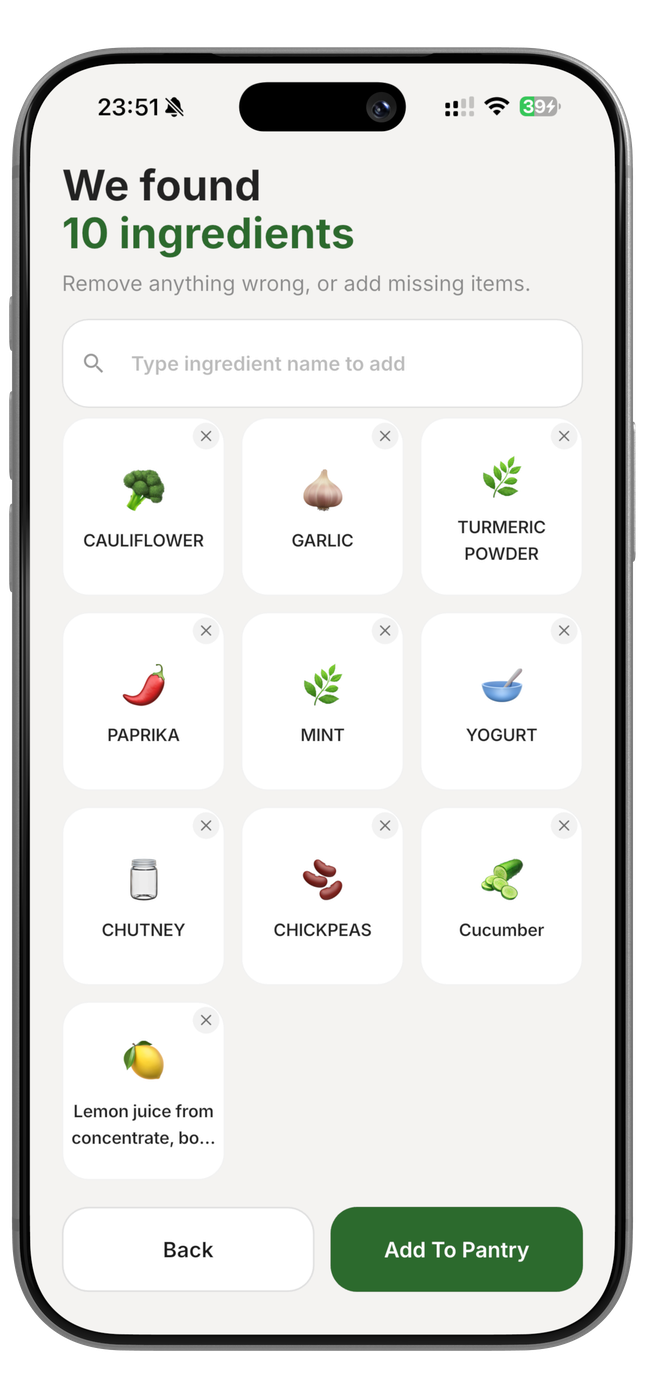
Scan or enter your ingredients

This is where the magic starts. Open your fridge and point your camera at the shelves Cobble scans labels and identifies what's there. Then do the same with your pantry cupboards. Add anything that was missed using manual search. In a few minutes, Cobble knows what you've got to work with.

Camera scan Manual entry Search ingredients
6

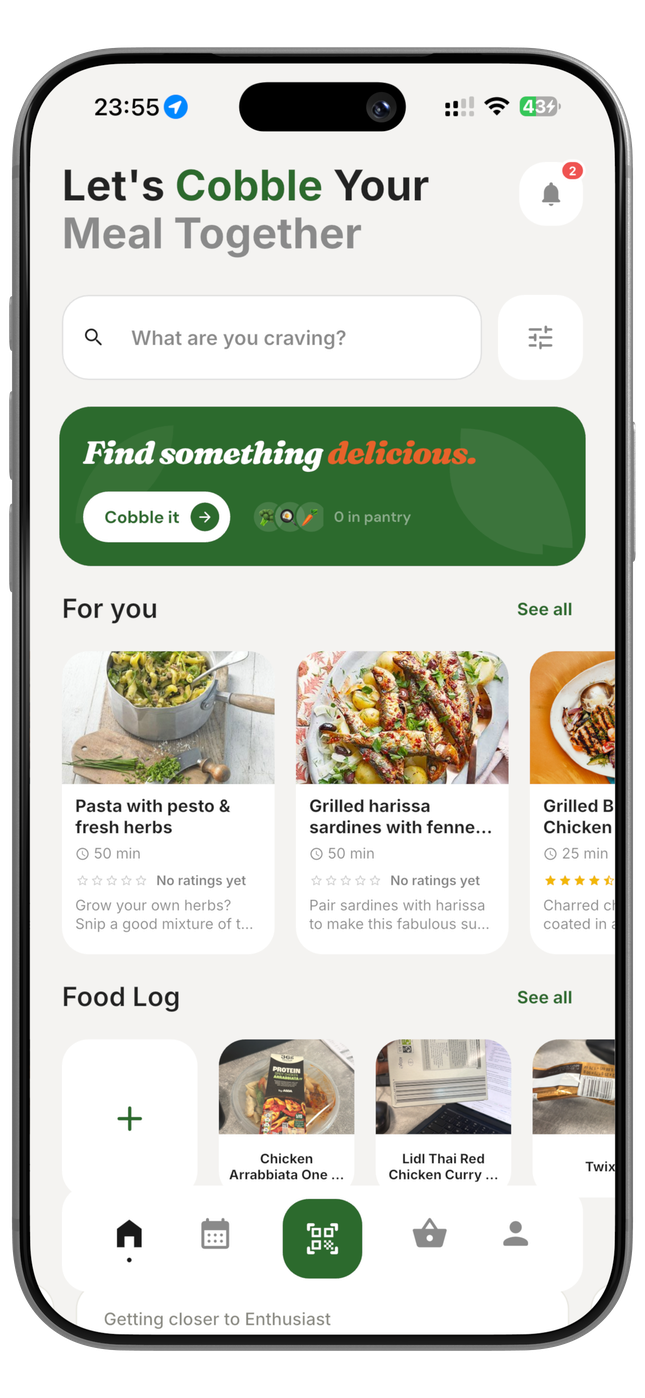
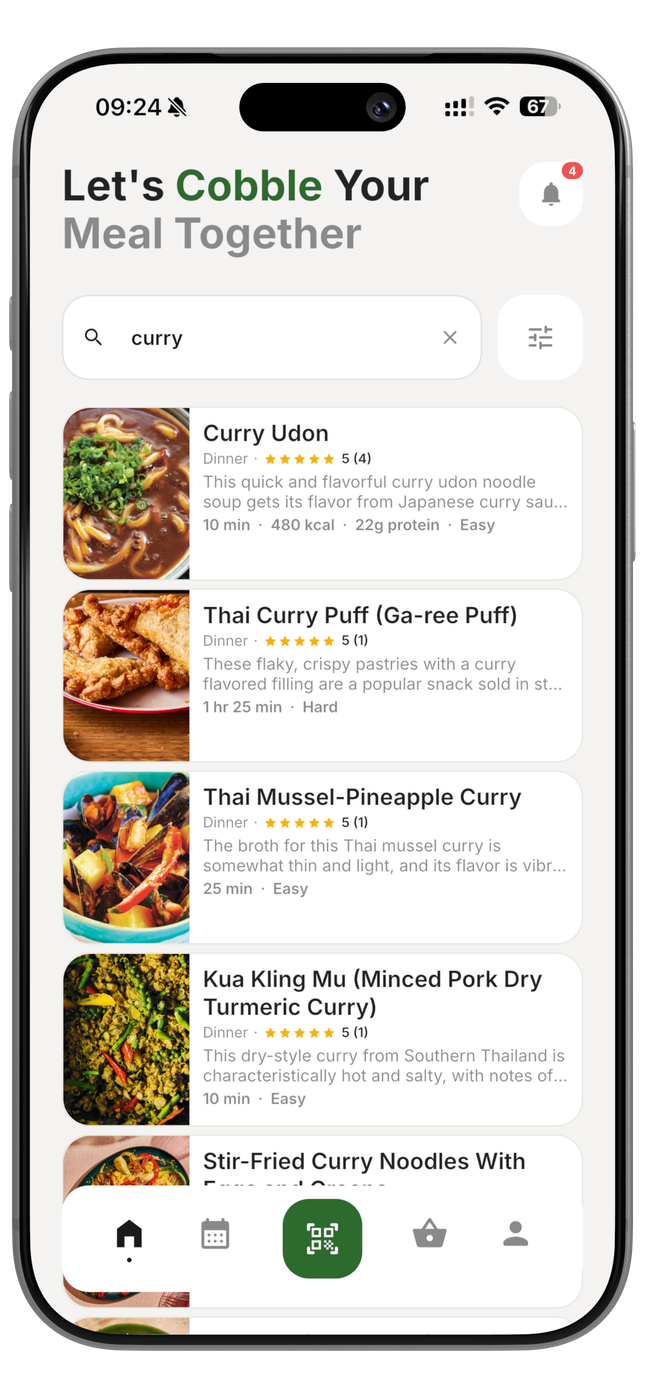
Discover recipes that match what you have

Your recipe feed now shows dishes ranked by ingredient match recipes you can cook right now appear first. Each card shows how many ingredients you already own and how many you'd need to buy. Filter by cuisine, dietary preference, cooking time, or hit Surprise Me for an instant random pick from your pantry matches.

Ranked by ingredient match Filtered by preferences Surprise Me
7

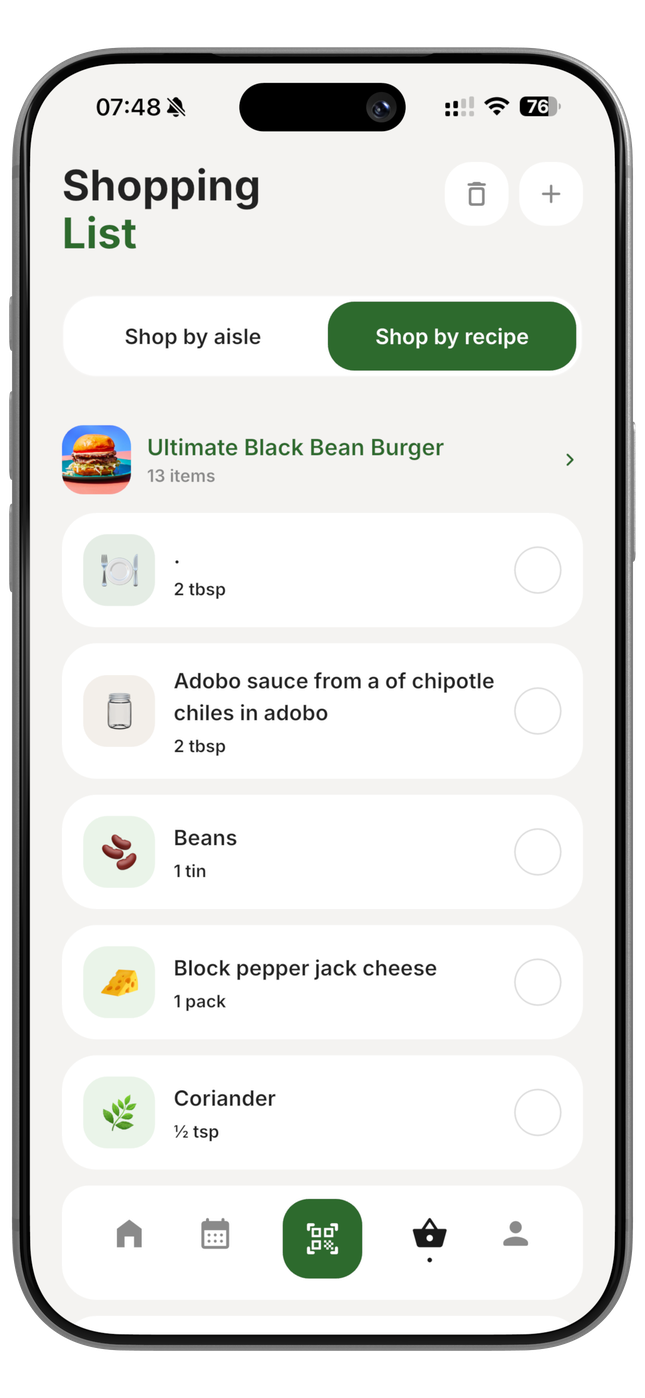
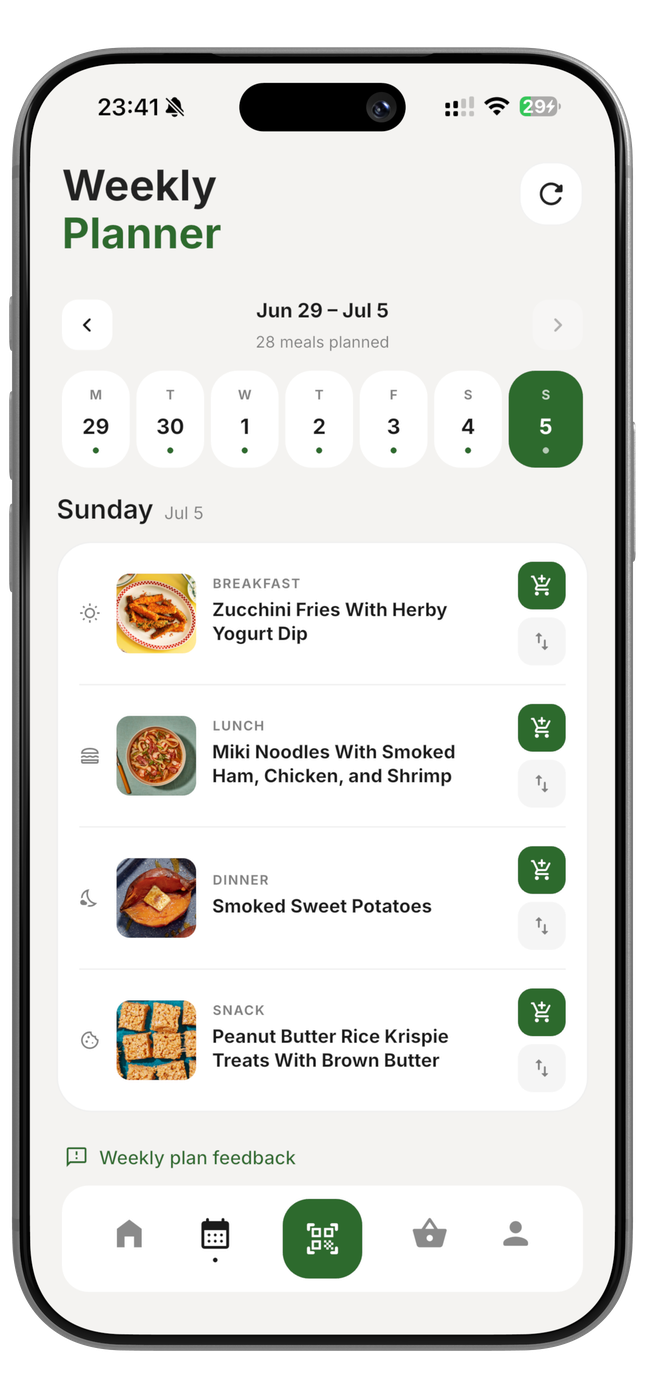
Add to your shopping list and plan your week

Save recipes to your weekly meal plan or add missing ingredients straight to your shopping list. Cobble only adds what you're actually missing no duplicates, no items you already have. The list is grouped by supermarket category so your shop is quick and logical. Open the list on your phone as you walk round.

Auto-deduplication Category grouped Precise quantities
8

Cook with step-by-step guided mode

When you're ready to cook, tap Start Cooking. Cobble walks you through every step one at a time on a clean, large-text screen you can glance at from the hob. Timers are built in. Ingredient quantities auto-scale to your chosen serving size. Measurements display in whichever unit you prefer.

Step-by-step mode Built-in timers Auto-scaled servings Metric / Imperial

Eight steps, one seamless experience

Create profile

Download the app and set up your account in under two minutes.

Add household

Set your household size for automatic serving calculations.

Dietary prefs

Select any dietary requirements set once, applied everywhere.

Pick cuisines

Tell Cobble the flavours your household loves most.

Scan ingredients

Camera scan your fridge and pantry or type items manually.

Discover recipes

Browse matched recipes or hit Surprise Me for instant inspiration.

Shop smart

Auto-generated grouped shopping list only what you're missing.

Cook with guidance

Step-by-step mode with timers and auto-scaled quantities.

Ready to get started?

Join the Cobble waitlist and be the first to cook smarter when we launch.

Free to join • No card required